GSA PUTT1.07
Publisher Description
*** IMPORTANT: GSA PUTT works with MX-G103 device ONLY ***
GSA PUTT is a patent pending innovation in golf putting technology.
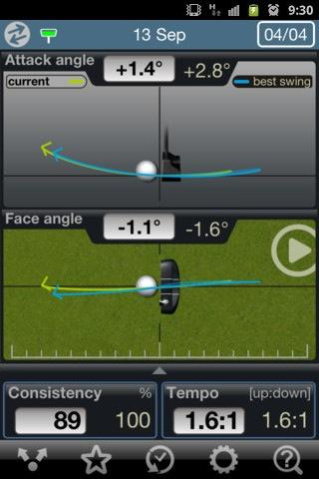
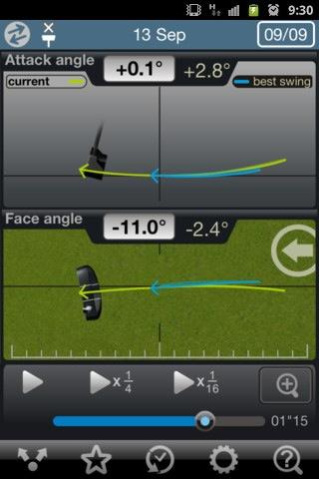
3BaysGSA PUTT device captures the club head motion of your putter and sends the information instantly to your smart phone through its unique GSA PUTT app, where you can review the club head motion from different angles simultaneously.
Compare each putt against your best or your PGA instructor's best putt and learn.
Golfers can instantly see on the GSA PUTT app -
1. Swing animation compiled from 10,000 data points captured per swing
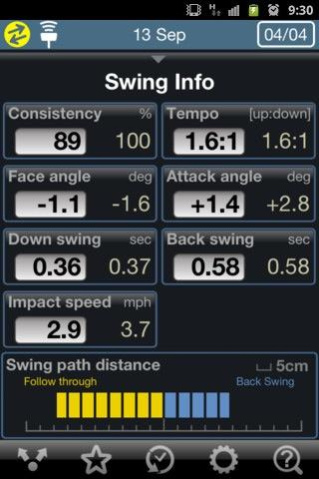
2. The following golf putting parameters: Consistency, Face Angle, Back Swing Time, Down Swing Time, Impact Speed, Tempo, Attack Angle, Swing Path Distance
3. Comparisons of your current swings with our PGA coach’s best swings and learn from PGA’s best.
4. Share your best shot with your friends via social media
5. Your historical swing performance
For more information about 3Bays GSA PUTT, please visit http://3bayslife.com
About GSA PUTT
The company that develops GSA PUTT is Perception Digital Limited. The latest version released by its developer is 1.07. This app was rated by 1 users of our site and has an average rating of 3.0.
To install GSA PUTT on your Android device, just click the green Continue To App button above to start the installation process. The app is listed on our website since 2014-03-23 and was downloaded 4 times. We have already checked if the download link is safe, however for your own protection we recommend that you scan the downloaded app with your antivirus. Your antivirus may detect the GSA PUTT as malware as malware if the download link to com.pd.gsaputt is broken.
How to install GSA PUTT on your Android device:
- Click on the Continue To App button on our website. This will redirect you to Google Play.
- Once the GSA PUTT is shown in the Google Play listing of your Android device, you can start its download and installation. Tap on the Install button located below the search bar and to the right of the app icon.
- A pop-up window with the permissions required by GSA PUTT will be shown. Click on Accept to continue the process.
- GSA PUTT will be downloaded onto your device, displaying a progress. Once the download completes, the installation will start and you'll get a notification after the installation is finished.
Program Details
System requirements
Download information
Pricing
Version History
version 1.07
posted on 2014-03-24
- Supports Japanese Language
version 1.03
posted on 2013-06-21
Several fixes and updates
